Role
Product Designer
Timeline
2024
Industry
SaaS, Marketing tool
Project at a Glance
Overview
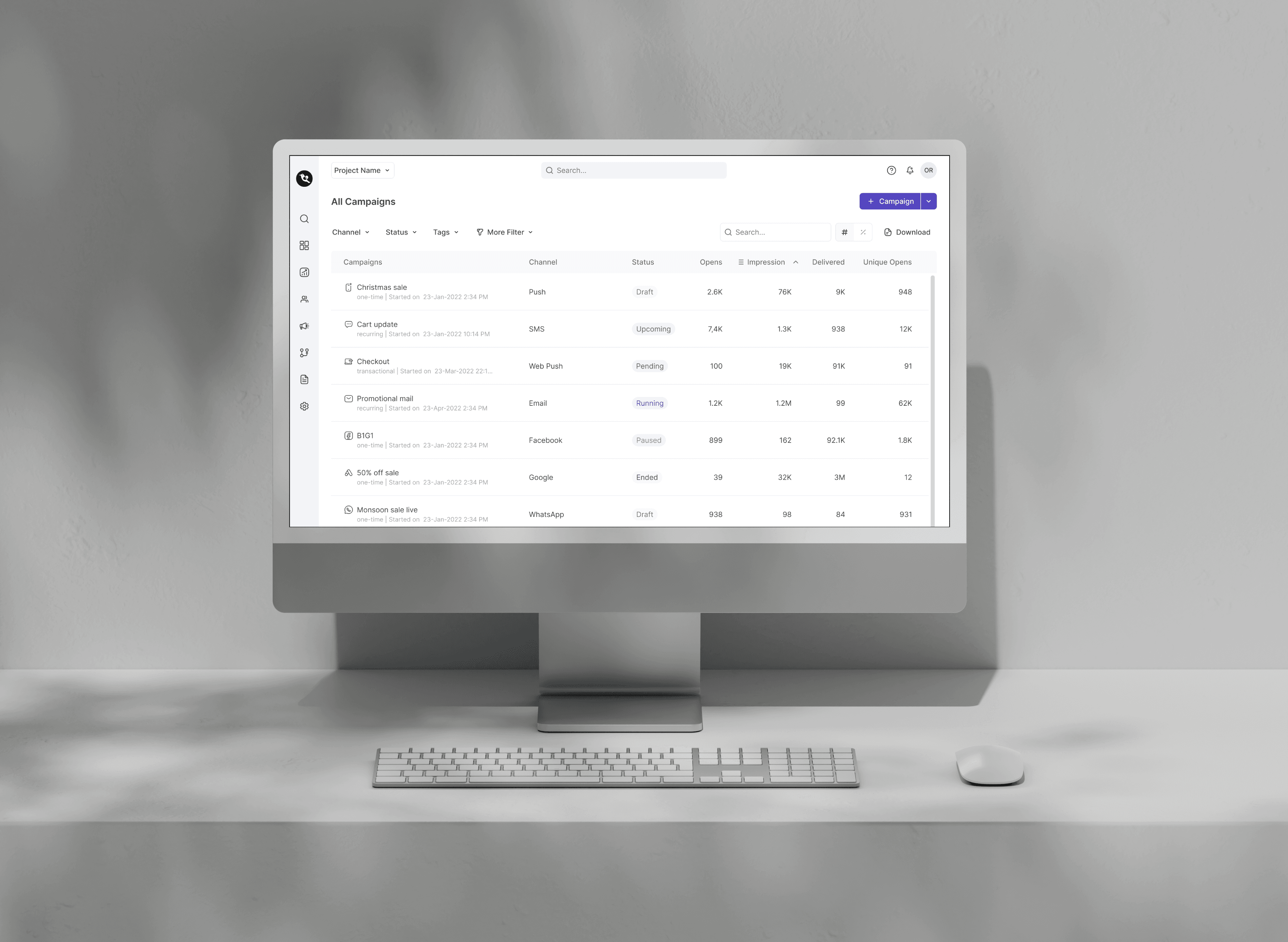
WebEngage is a robust customer data platform and marketing automation suite that empowers businesses to deliver personalised, omnichannel experiences. From targeted messaging to deep analytics, it helps brands boost engagement, strengthen customer relationships, and drive measurable growth.
As a product designer, I collaborated with the internal WebEngage team, working alongside two other designers, to redesign the Campaign Channels module. The goal was to improve usability, streamline workflows, and modernise the visual experience.
Challenges
The existing campaign interface posed several issues:
Outdated and cluttered design
Poor discoverability of essential features
Inconsistencies across channel modules
Inefficient workflows are affecting user productivity
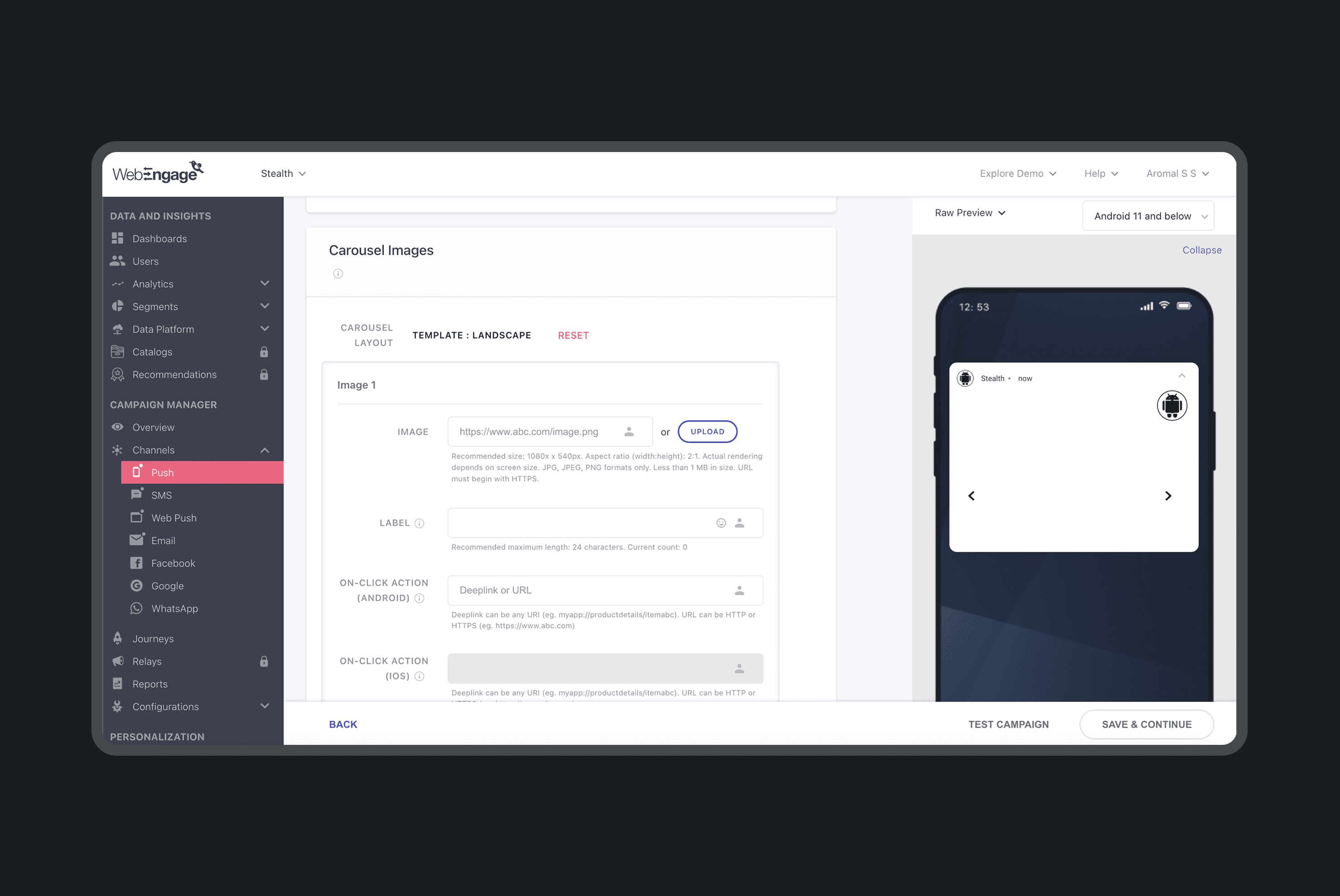
IMAGE 1.1
Current UI
Goal
How might we streamline the Campaign Channels experience to boost engagement and efficiency, while laying the groundwork for a scalable future?
Identifying Gaps & Opportunities
To ground our design decisions in evidence, we began with a UX audit of the existing campaign channels and a comparative analysis of leading competitors. This helped us identify usability gaps and benchmark best practices.

GIF 2.1
Current Campaign Channel Flow
UX Audit
A detailed audit of the current interface revealed several friction points:
❌ Low discoverability — Key features were difficult to locate, slowing down workflows
❌ Outdated interface — The design felt dated, with visual and functional inconsistencies
❌ Misleading or unclear copy — Poorly written microcopy created confusion during critical actions
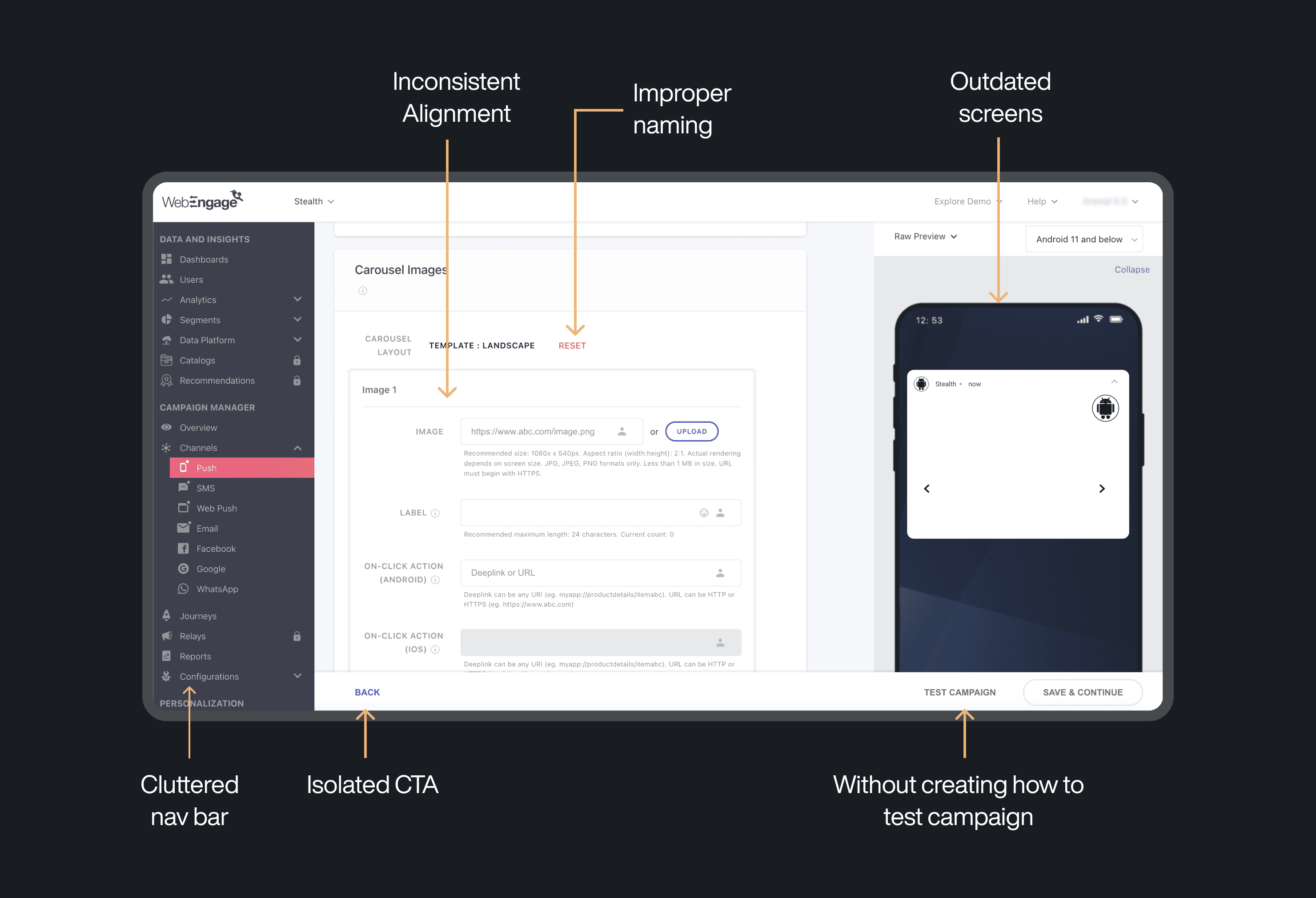
IMAGE 2.3
UX Audit
Competitor Analysis
We studied similar tools in the marketing automation space to understand how others approached usability and visual design. Key takeaways included:
✅ Clean, modern layouts — A focus on whitespace and clarity improved readability
✅ Streamlined navigation — Fewer steps and clearer hierarchies made interactions intuitive
✅ Consistent patterns — Uniform UI elements reinforced user confidence and reduced cognitive load
These insights shaped the direction of our redesign, aiming for a more intuitive, scalable, and visually cohesive user experience.
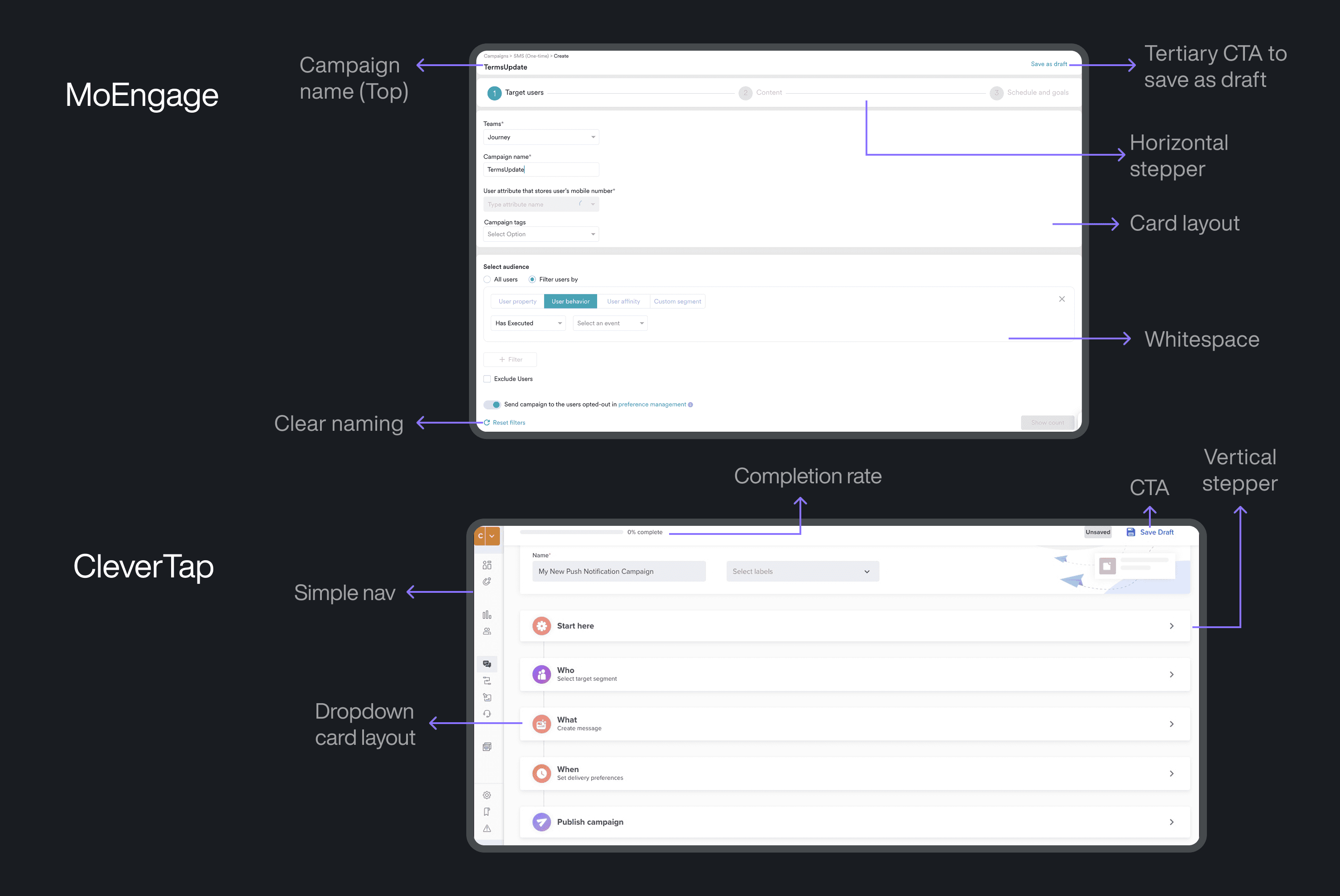
IMAGE 2.4
Competitive Analysis
Elevating the Campaign Experience
Our redesign focused on simplifying workflows, enhancing usability, and ensuring consistency across all campaign channels. Here's how we approached the solution:
Streamlined Navigation
We restructured the navigation to reduce friction and make key actions easily accessible:
✅ Simplified menu structure for clearer hierarchy and reduced cognitive load
✅ Quick access shortcuts to frequently used actions and campaigns
✅ Improved search functionality for faster discovery across channels
✅ Collapsible menus to reduce clutter and give users more control over their workspace
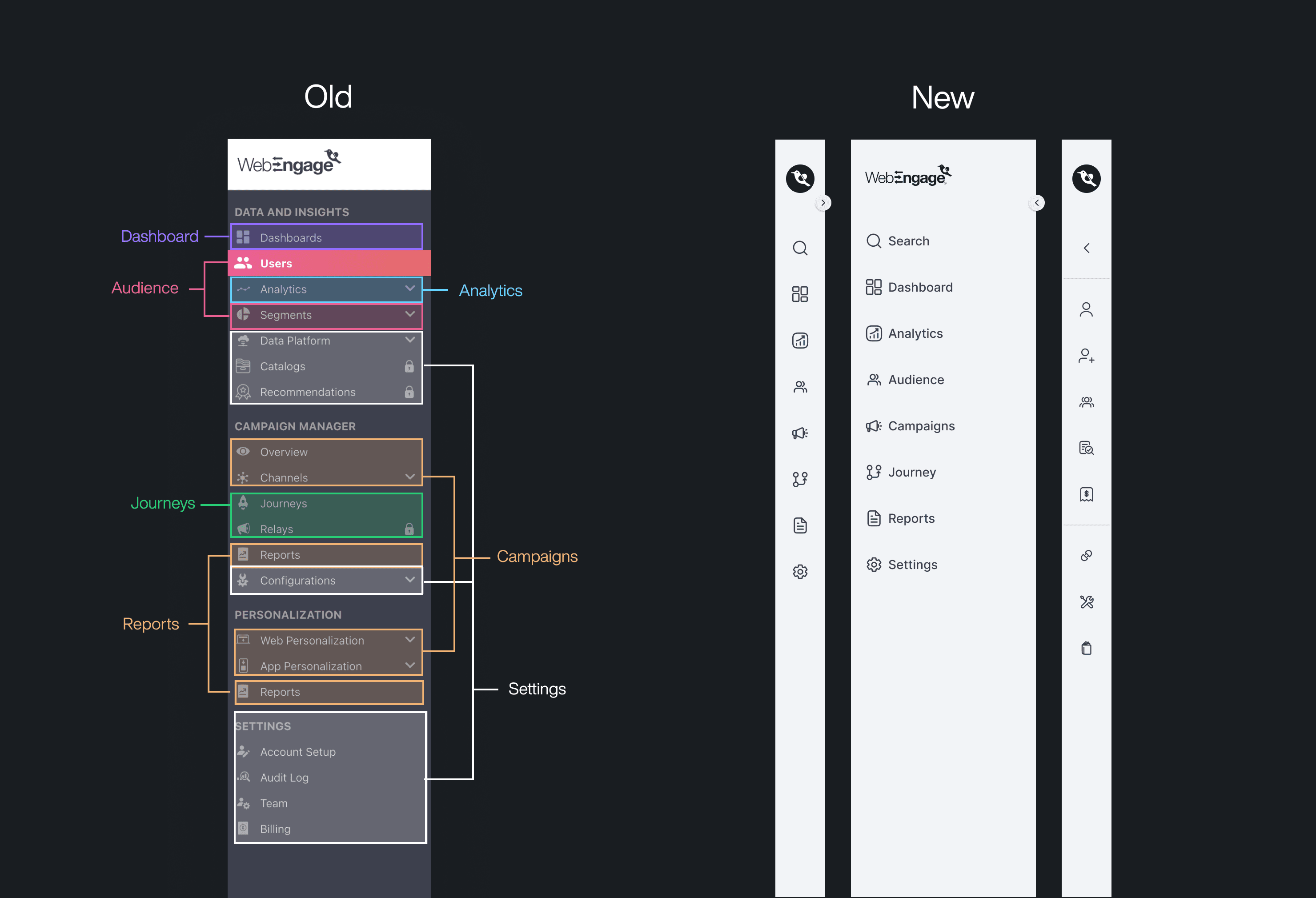
IMAGE 3.1
Streamlined Navigation
Unified Channel Management
We brought all campaign channels under a single, cohesive view to improve oversight and coordination:
✅ Single overview screen to monitor all active campaigns at a glance
✅ Centralized control panel to manage messaging across different channels
✅ Integrated campaign metrics to enable quick performance assessment
✅ Synchronized messaging to ensure consistency in communication
✅ Real-time performance tracking for faster iteration and decision-making
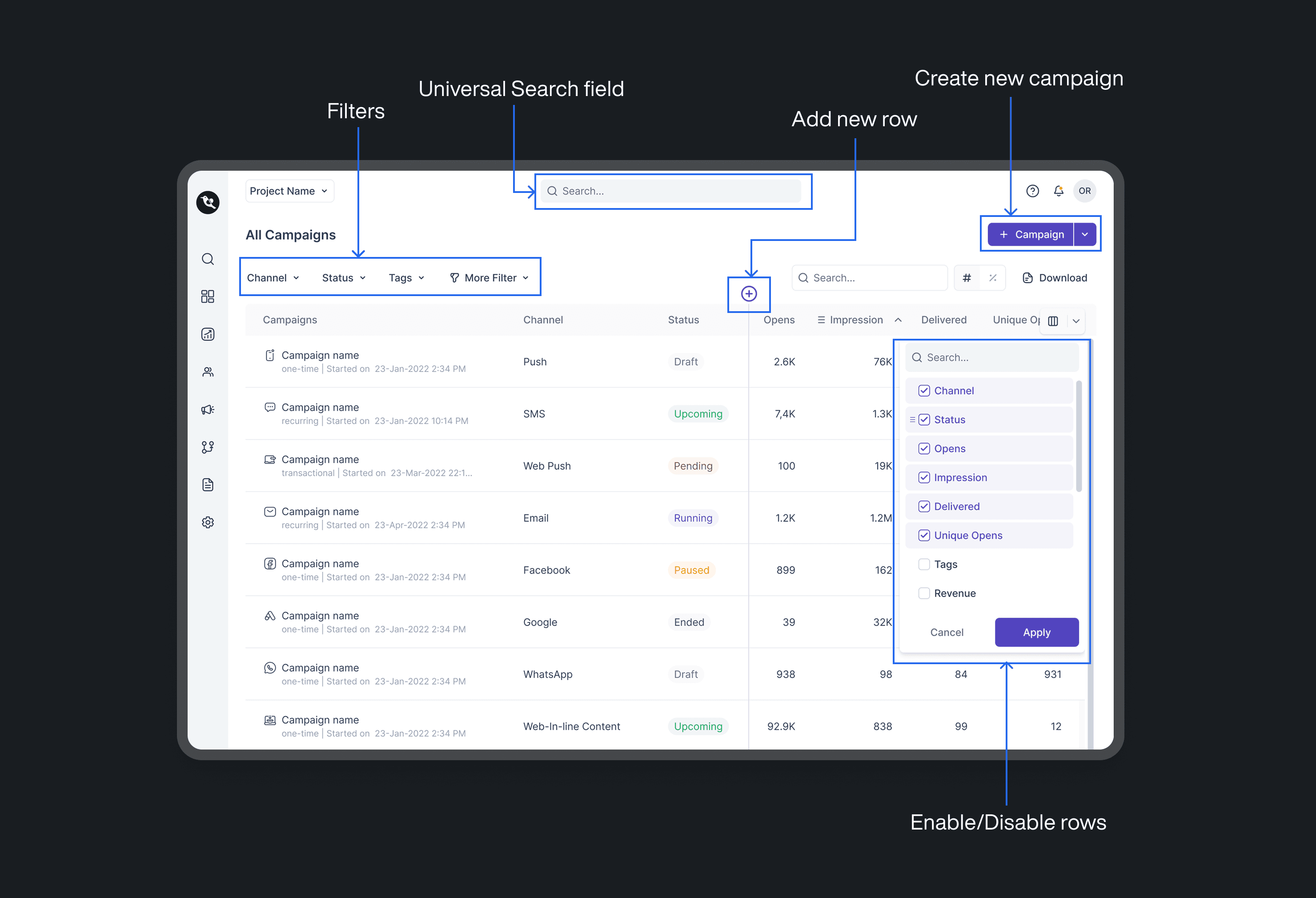
IMAGE 3.2
Unified Channel Management
Scalable Design System
To maintain consistency and support future scalability, we established a unified design system:
✅ Reusable components to reduce redundancy and improve maintainability
✅ Responsive auto-layouts for seamless use across devices
✅ Accessibility improvements to ensure inclusivity and compliance with accessibility standards
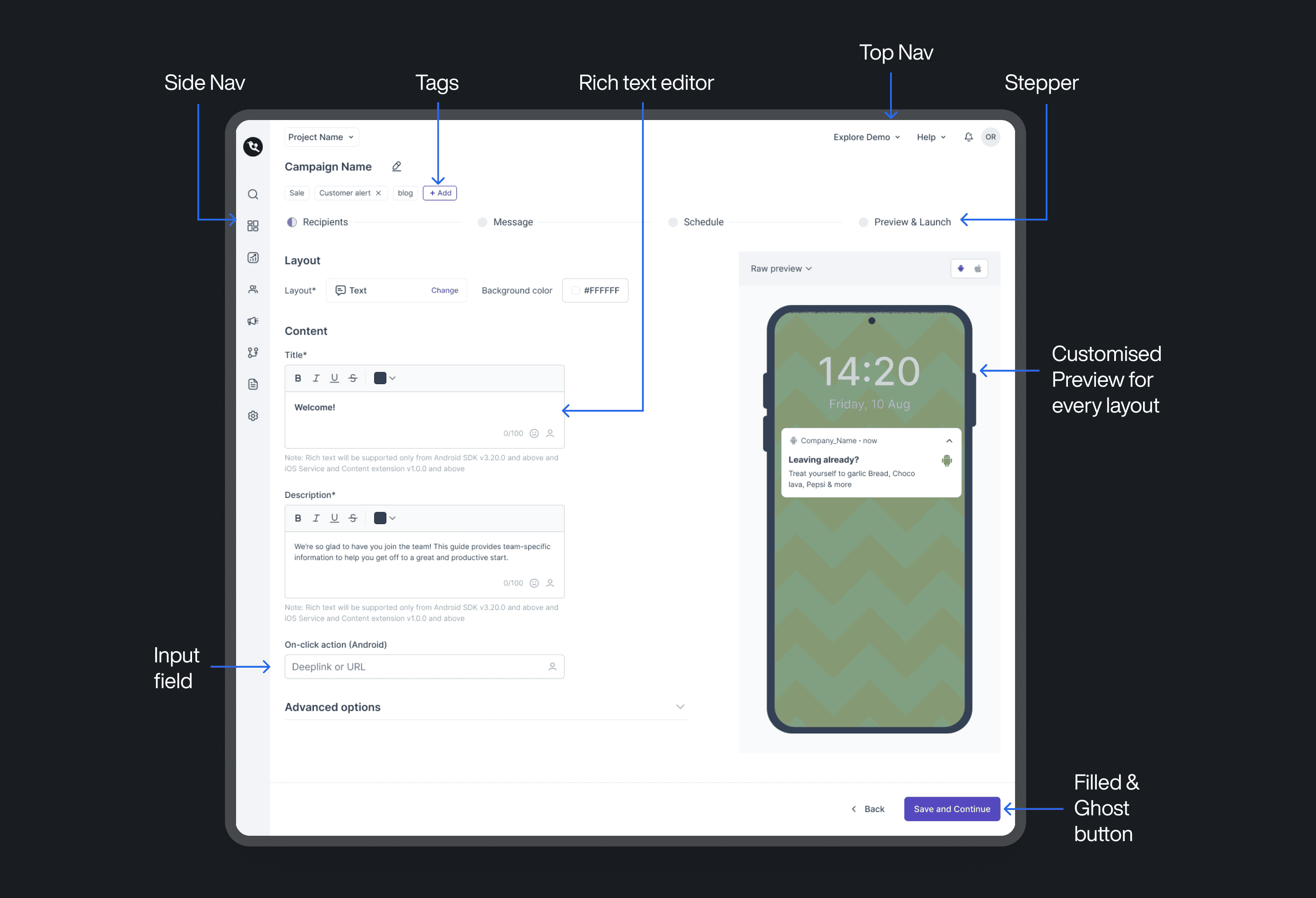
IMAGE 3.3
Unified Design System
Measuring Early Impact
Validated through testing
While the redesigned Campaign Channels module is yet to go live, internal testing and stakeholder evaluations have shown promising results. The improvements in structure, usability, and consistency have already begun to make a measurable difference:
✅ Faster campaign creation — thanks to simplified workflows and intuitive navigation
✅ Increase in navigation efficiency — users found it easier to locate and switch between key sections
✅ Reduction in UI inconsistencies — enabling developers to speed up implementation and reduce rework
These early wins validate the direction of our redesign, setting the stage for a smoother rollout and long-term scalability.
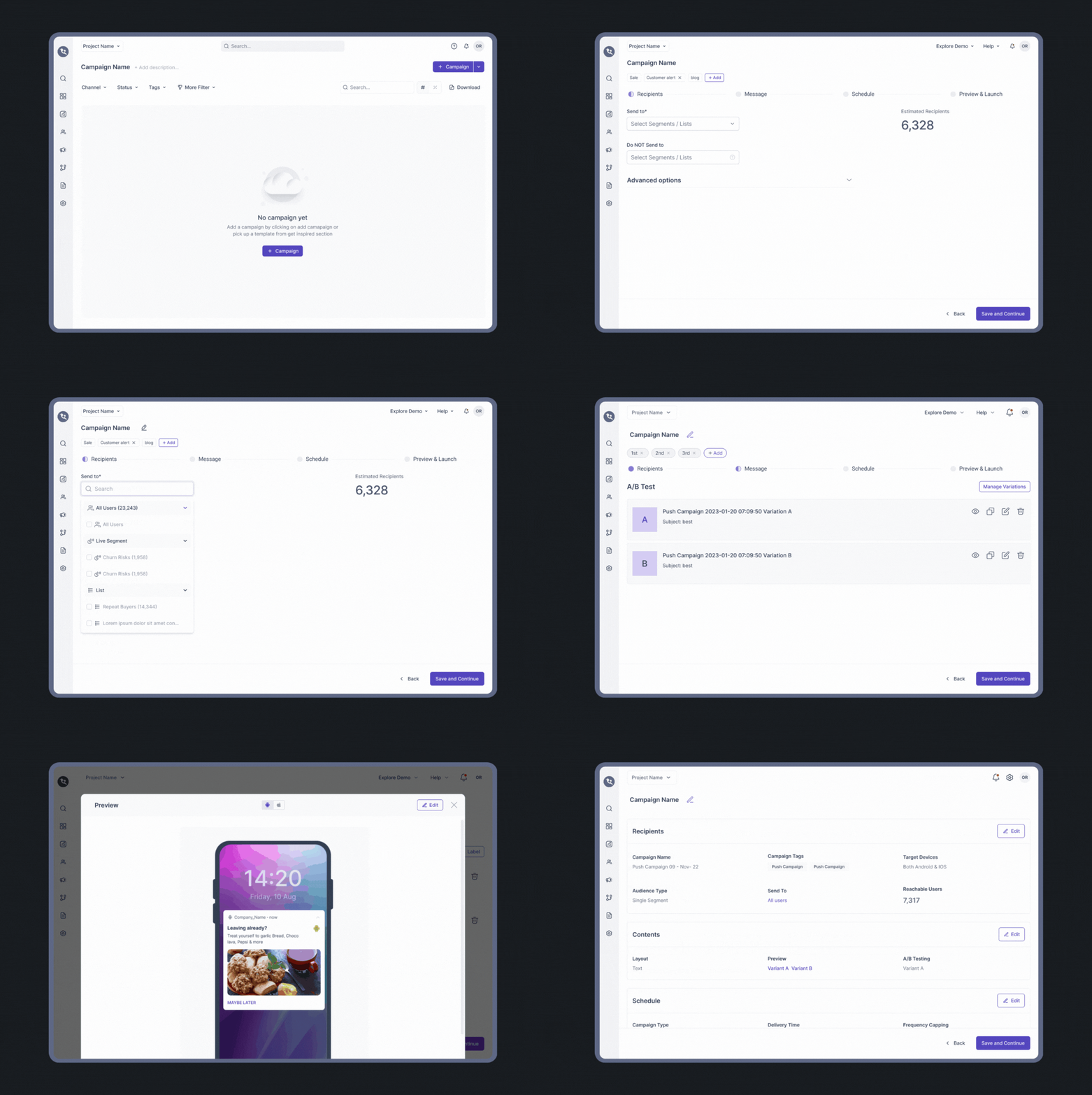
GIF 4.1
Revamped Campaign Channel Flow